01↗
SLA tracking that warns before the breach
Compliance rate by department, agent, or priority — plus a backlog split by urgency, from already late to 1–3 days out.
SLA94,8%
On time42
At risk8
Late3
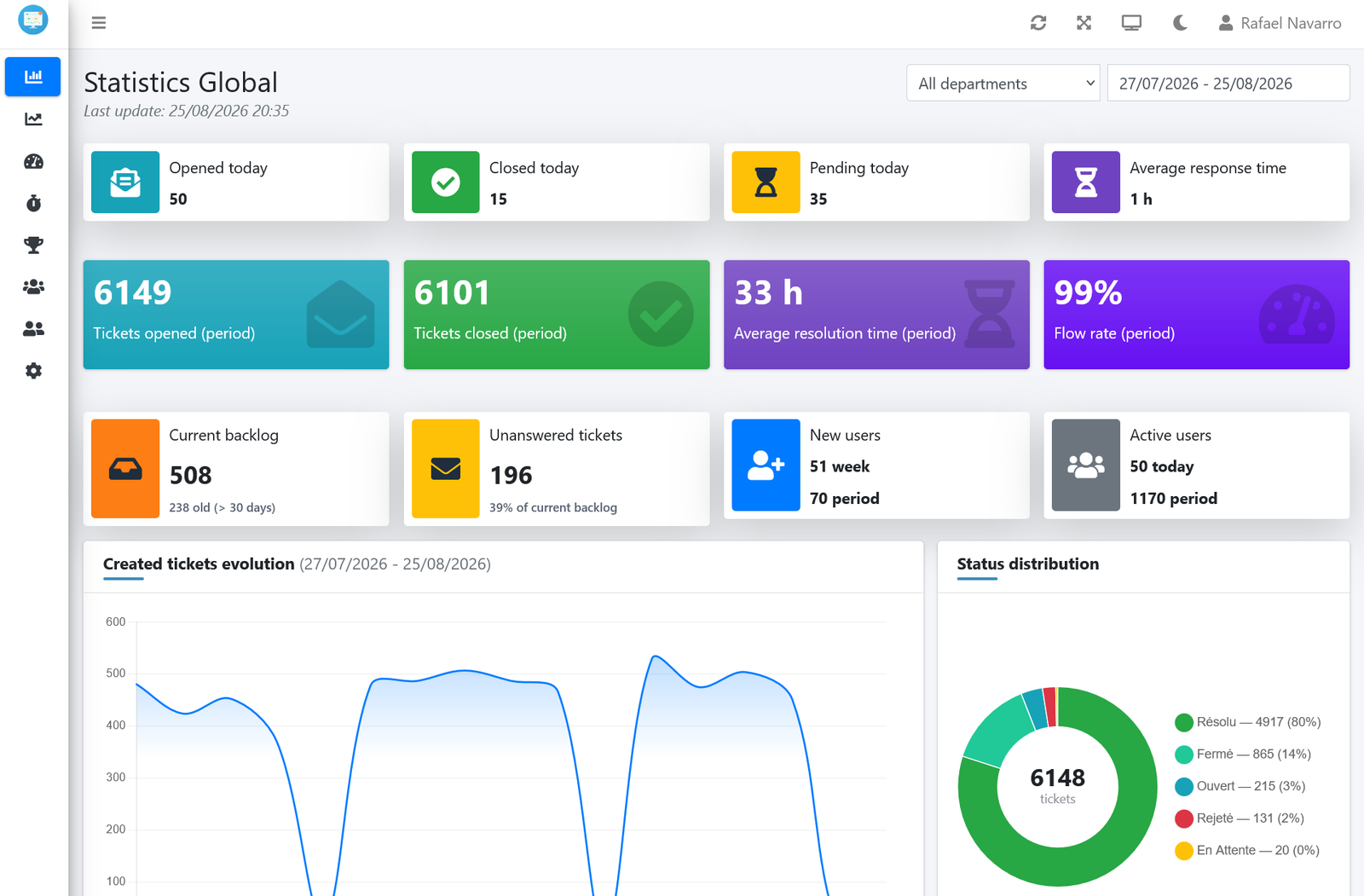
Real-time dashboards, SLA alerts, and agent performance — installed next to your existing osTicket in minutes, with zero data migration.
Ranked by what teams reach for first.
Compliance rate by department, agent, or priority — plus a backlog split by urgency, from already late to 1–3 days out.
Side-by-side charts and daily trends, designed so a high-volume agent is never measured against a low-volume one.
Reopen rate, unanswered tickets in real time, first-contact resolution, backlog age, and current load per agent.
A closer look at every screen your team will use.
Every number that matters, colour-coded and updated live.
Access by user, department and page — every manager sees only what concerns them.
Access by user, department and page — every manager sees only what concerns them.
Yes — French, English, Spanish, Portuguese, German, Dutch, Turkish, Polish, Russian, Swedish, Finnish, and Danish, selectable per user.
A native dark mode across the entire app, one click away.
A few minutes. A guided 3-step wizard handles the database connection, tables, and admin account — no command line.
Guided installer, no command line
No. OsReports reads your existing database in real time — nothing is copied, migrated, or modified.
Access by user, department and page — every manager sees only what concerns them.
A single license for your osTicket installation — no seats to count.
Secure checkout · Instant delivery
Real-time reporting for osTicket.
No. OsReports reads your existing database in real time — nothing is copied, migrated, or modified.
A few minutes. A guided 3-step wizard handles the database connection, tables, and admin account — no command line.
It installs next to your existing instance with recommended database indexes applied automatically, with no downtime.
Yes. Technical support, updates and fixes are included for one year.